Creating a job description
A job description tells Talentlens AI what you are hiring for. Candidates are scored against it, so it is worth a minute to get it right.
You paste the job posting as you received it. The requirements are extracted into a draft, and nothing is saved until you have reviewed it.
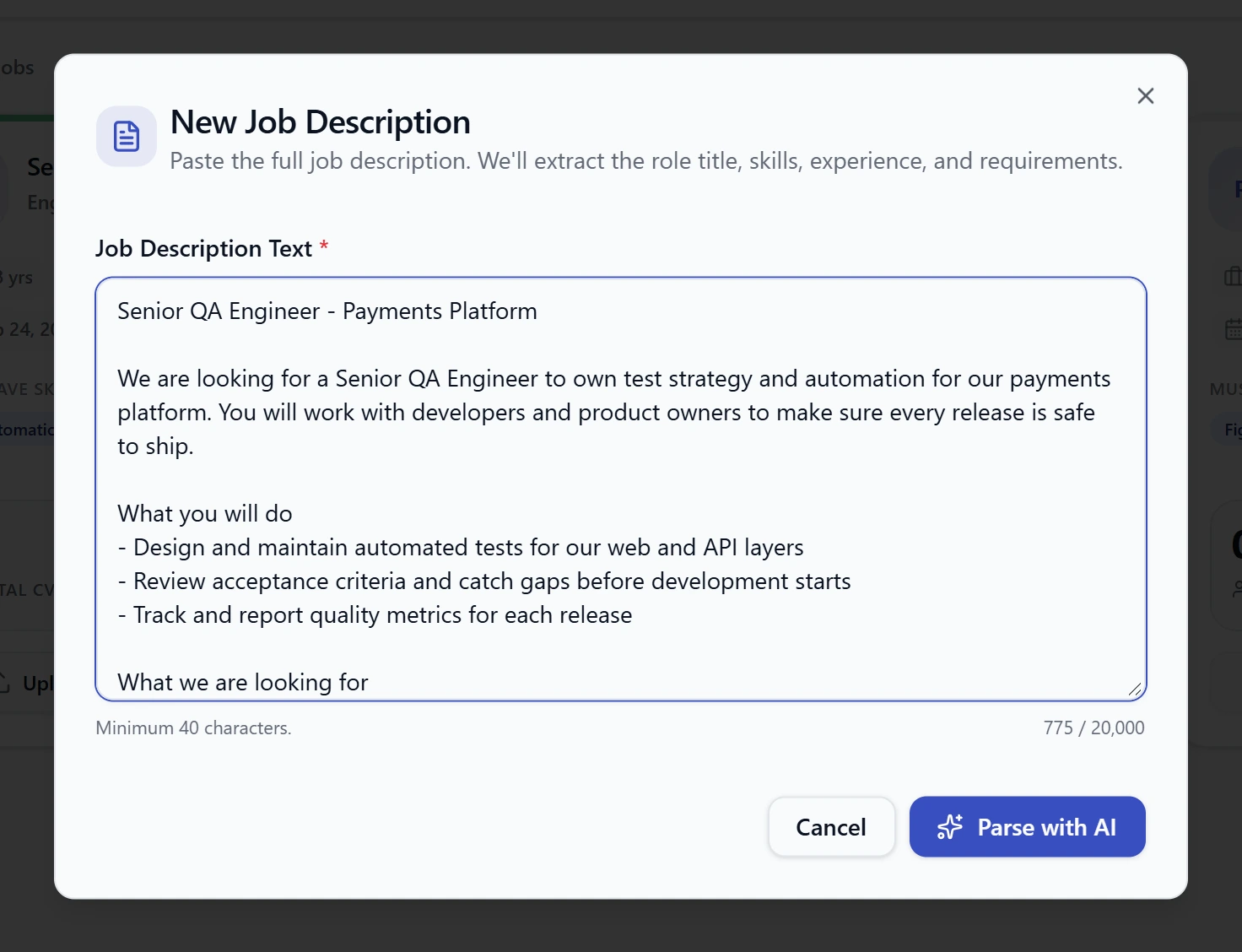
Step 1: Paste the job description
- Open Job Descriptions.
- Select New Job.
- Paste the posting into Job Description Text. Include the summary, required experience, skills and responsibilities.
- Select Parse with AI.
The text must be between 40 and 20,000 characters. A single line is too short to work from, and a very long posting should be trimmed to the parts that describe the role.
Step 2: Review the draft
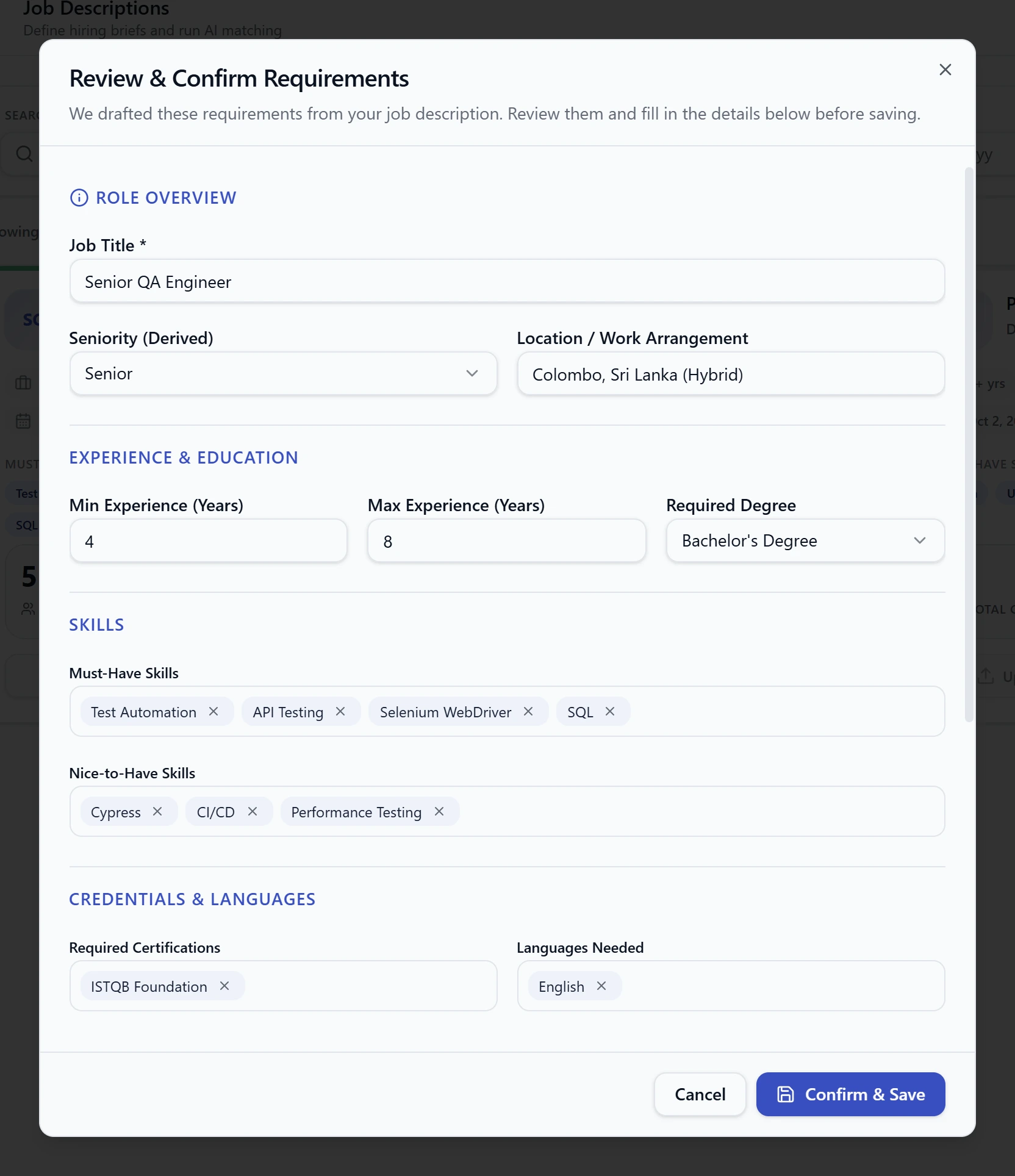
The draft opens in Review & Confirm Requirements. This is the important step: the requirements you confirm here are what candidates are scored against.
| Section | What to check |
|---|---|
| Role Overview | Job Title, Seniority and Location / Work Arrangement |
| Experience & Education | Min Experience and Max Experience in years, and Required Degree |
| Skills | Must-Have Skills and Nice-to-Have Skills |
| Credentials & Languages | Required Certifications and Languages Needed |
| Role Summary | One or two sentences describing the role |
| Administrative Details | Department, Hiring Status and Target Shortlist Count |
Must-have and nice-to-have skills
This split matters more than anything else on the screen.
- Must-Have Skills are the skills a candidate needs. They count the most towards the score, and a candidate who is missing one has it listed plainly against them.
- Nice-to-Have Skills improve a score but are not held against a candidate who lacks them.
To add a skill, type it and press Enter. To remove one, select the × on its tag.
List the four or five skills that are truly essential. A long must-have list means almost nobody covers all of it, and every candidate looks weak.
Seniority, experience and degree
Leave any of these empty if the role does not specify them. An empty requirement is ignored when scoring; it is never counted against anyone.
Experience can have one decimal place, such as 3 or 3.5. The maximum cannot be lower
than the minimum.
Hiring status
| Status | Use it for |
|---|---|
| Draft | A role you are still preparing |
| Active | A role you are hiring for now |
| Closed | A role that has been filled or withdrawn |
Target shortlist count
This is how many candidates you want to review for the role, from 1 to 50. It does not limit who is scored. It only draws a line in the ranked list. You can change it at any time. See Shortlist and reject.
Step 3: Save
Select Confirm & Save. The job appears as a card on the Job Descriptions screen.
What next
- Add applicants with Upload CVs on the job's card. See Uploading CVs.
- Select Match Candidates to go to Shortlisting.